
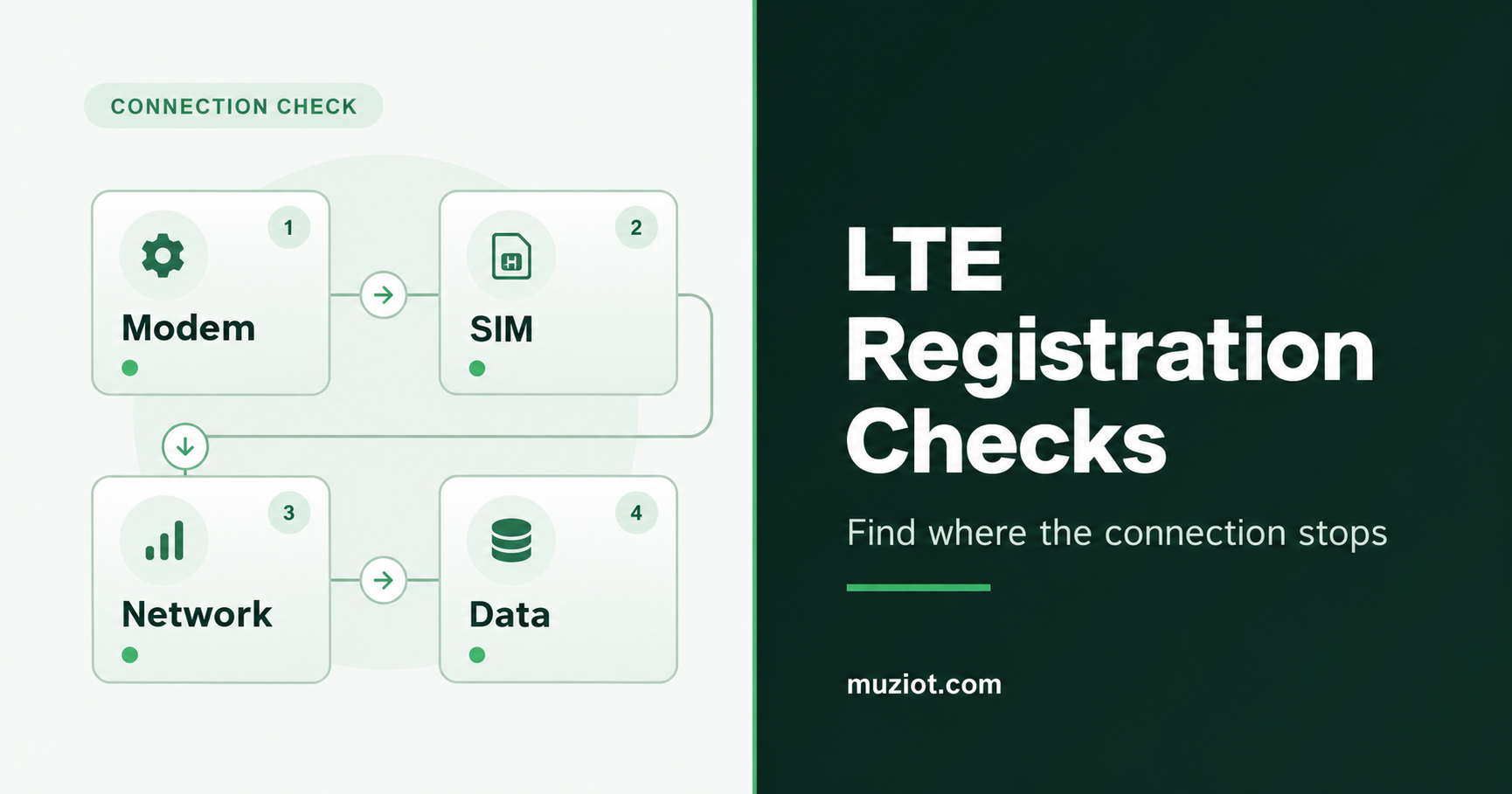
A modem can answer AT commands and show signal bars while the device still has no connection. When an LTE module is not registering on the network, first find where the connection stops: modem access, SIM readiness, LTE registration or the data session. Keep the initial replies before changing settings.
The checks below use a Quectel EC25-series example from the V2.0 AT Commands Manual. Match the commands to your module and firmware. If the exact regional variant is still undecided, start with the cellular module selection guide.
Capture the starting state
Record the full module suffix, firmware, carrier board, host software, country, location and SIM provider. Include whether the same assembly connected before and what changed.
Use the AT port identified in the device guide. Coordinate access with the host’s connection manager so two programs do not issue commands at once. If the port disappears or the module restarts during an attempt, investigate the host interface and power supply before treating the symptom as a network rejection.
Send each query separately, wait for its final reply and save the complete exchange with timestamps. These forms read identity, state or configuration; the similar-looking write forms can change operation.
Queries for the initial record and the later data-path check.
Scroll horizontally to read all columns.
| Query | Read from the reply | Use in the diagnosis |
|---|---|---|
ATIAT+CGMR | Module identification and firmware revision | Select the matching manual and record the starting version |
AT+CPIN? | Whether a SIM password is pending | Resolve SIM access before investigating registration |
AT+CFUN? | Current functionality level | Check whether the radio has been disabled by the host or configuration |
AT+CEREG? | EPS registration status | Choose the registration branch in the next table |
AT+COPS? | Operator-selection mode and selected operator, when available | Look for an unexpected selection or a retained manual setting |
AT+CSQ | Reported signal quality | Keep radio context alongside the registration result |
AT+CGATT? | Packet-domain attachment state | Add to the investigation when registration succeeds but data fails |
AT+CGDCONT? | Defined data contexts, including APN and PDP type | Compare the relevant context with the SIM provider’s setup |
For this Quectel example, +CFUN: 1 means full functionality. Values 0 and 4 mean minimum functionality and disabled RF transmission/reception respectively. Find which part of the host setup selected that state before changing it.
Read the LTE registration reply
Use AT+CEREG? for LTE EPS registration. An OK at the end means the query completed; the registration result is in <stat>. In the read response, +CEREG: <n>,<stat>, the first number controls unsolicited reporting and the second gives the status.
Illustrative reply: the modem is searching.
TX  AT+CEREG?
RX  +CEREG: 0,2
RX  OK
Here, 0 means unsolicited registration reports are disabled; 2 is the searching state. An unsolicited report uses a different layout, so retain the command and full response when sharing a log. The service-specific distinction between CEREG, CREG and CGREG is described in 3GPP TS 27.007, section 10.1.22.
The six registration states listed in the Quectel V2.0 example.
Scroll horizontally to read all columns.
<stat> | Meaning | Next check |
|---|---|---|
| 0 | Not registered; not currently searching | SIM readiness, radio functionality and operator-selection state |
| 1 | Registered on the home network | Proceed to attachment, data context and host networking |
| 2 | Trying to attach or searching for an operator | Search duration, available network, regional bands and antenna path |
| 3 | Registration denied | SIM service eligibility and any available rejection information |
| 4 | Registration state unknown | Radio conditions and the complete modem/host log |
| 5 | Registered while roaming | Proceed to the data path and check host data-roaming policy |
Decode any additional status values with the manual for the device. Newer standards include states beyond this table.
Check the SIM service and radio path
+CPIN: READY means the modem is not waiting for a SIM password. Check the provider’s account separately for activation, suspension, the intended service and permitted networks. For a PIN or PUK request, obtain the correct value from the SIM owner before entering it.
For a searching modem, compare the full module suffix and configured radio mode with the operator’s technology and bands at the installation. Then inspect the cellular antenna connection, cable routing and placement inside the enclosure. The antenna selection guide covers that physical path. A signal reading adds context; it does not establish that the SIM can register.
Soracom’s connectivity guide describes scans that can take several minutes with a new SIM or after a country change. Check whether a host watchdog is repeatedly restarting the modem before its search finishes. Use the timing guidance for your device and provider when deciding when to escalate.
For a denied registration, collect any rejection information that the firmware exposes. Preserve the cause type with the code, then ask the SIM provider to check the failed attempt using its timestamp and network details. Read and record the APN as well, comparing it with the provider’s instructions. Keep operator selection and band settings unchanged until the evidence points to a particular change.
Continue to the data path after registration
When the LTE status is 1 or 5, check packet attachment and the data session. Read AT+CGATT? and the configured contexts with AT+CGDCONT?. Check which context the connection manager actually uses, including its APN, IP type and required authentication. Soracom’s troubleshooting guide shows how these checks fit together for its service; obtain the corresponding settings from your own provider.
Next inspect the host interface, assigned IP address, route and DNS configuration. A roaming registration may also require the host to allow data roaming. If the modem registers but Linux cannot establish the data session, continue with the QMI, MBIM and ECM guide.
Make the next comparison reproducible
Choose a comparison that answers the open question. Testing the SIM in a compatible, known-working device checks a different part of the setup from testing another compatible SIM in the original assembly.
- Save the original configuration and log. Include the outcome and elapsed time of the attempt.
- Change one item. Record the exact SIM, antenna, location or approved setting used for the comparison.
- Run the same observation. Keep the other hardware, workload and timing consistent, and save the complete replies again.
- Compare the two outcomes. If a known-working SIM connects, investigate the original SIM’s service with the provider. If the original SIM connects elsewhere, compare the device and installation next.
Keep firmware flashing, factory resets, band locks and repeated power cycling outside the initial checklist. They can change several conditions at once and remove the state needed to explain the failure.
Send a support record that can be acted on
Include the full module variant, firmware, board and host versions, country, SIM provider and plan, attempt timestamps with timezone, complete query replies and the result of one controlled comparison. Add any spontaneous restart or port-disconnection events. Remove passwords and mask subscriber/device identifiers in public posts; provide identifiers through the provider’s secure support channel when requested.
For an EC25-based assembly, the EC25 series product page is a starting point for a module enquiry. Request the matching documentation through the Datasheet Center, or send the module code, board details and diagnostic record through the BOM service.
Sources
- Quectel: EC2x/EG9x/EG2x-G/EM05 Series AT Commands Manual V2.0, February 24, 2021; sections 2.1, 2.7, 2.22, 5.3, 6.1, 6.3, 10.1, 10.2 and 10.14.
- ETSI TS 127 007 V18.6.0 / 3GPP TS 27.007 Release 18, May 2024; section 10.1.22, EPS registration response and service-specific registration commands.
- Soracom: Connectivity Basics, network search, subscriber eligibility and data-roaming behavior.
- Soracom: Troubleshooting, modem, network and data-context checks for Soracom service.
Source review: October 22, 2026.