Description
BG95/BG96 USB dongle configuration
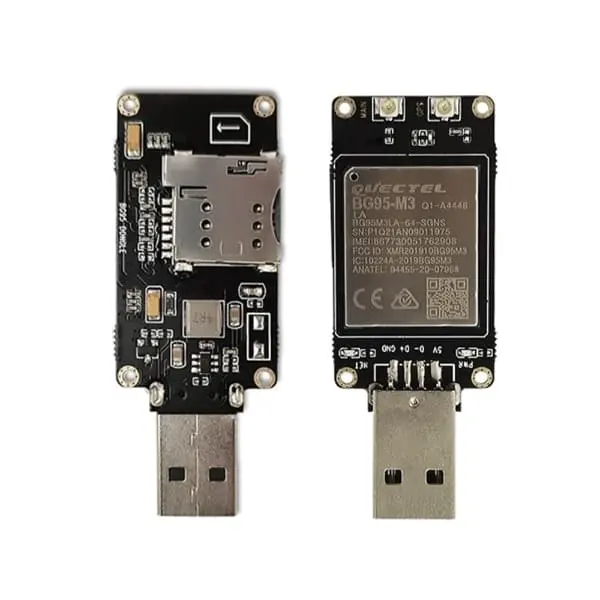
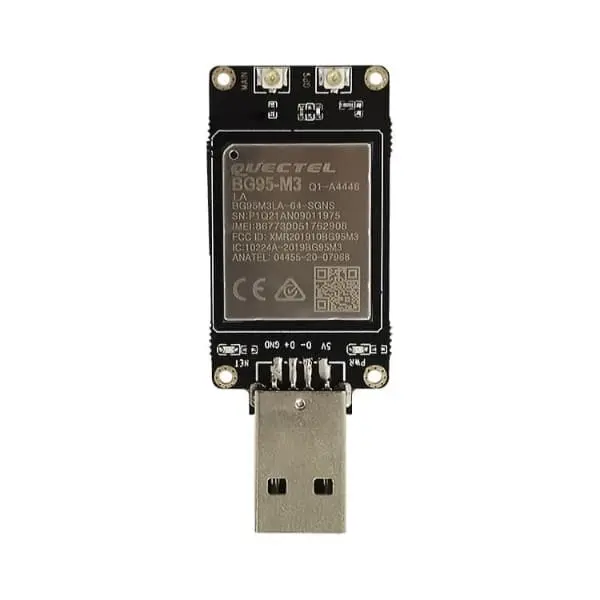
This page covers USB dongle configuration enquiries. The current photographs show a USB board carrying a Quectel BG95-M3 module. A BG96 configuration requires separate confirmation; the pictured board is not evidence that both module options use identical hardware or firmware.
What the photographs establish
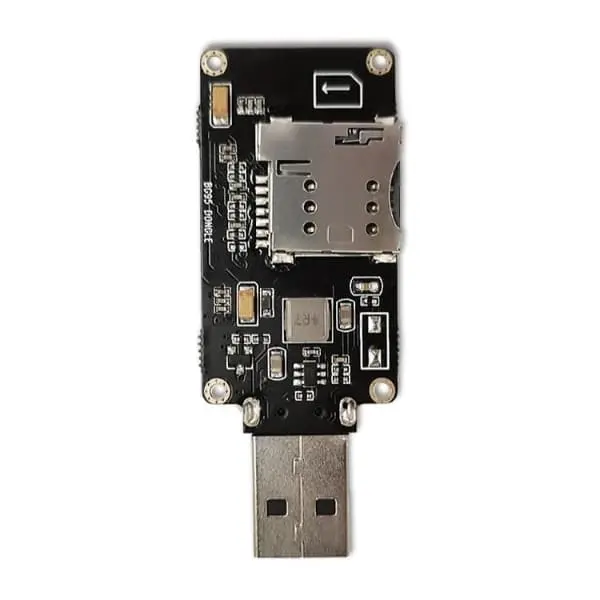
The front-view module label reads BG95-M3 and BG95M3LA-64-SGNS. The board has a USB Type-A plug and connectors labeled MAIN and GNSS. The reverse photograph shows the board and SIM holder. These are historical product photographs, not a confirmation of the current quoted batch.
| Hardware form | USB dongle / development board assembly. It is separate from a bare LGA module and a Mini PCIe card. |
|---|---|
| Pictured module | BG95-M3. Select the complete module and board part number, board revision and firmware with your quotation. |
| BG96 option | Confirm availability and obtain a matching board photograph, schematic or hardware guide. Do not transfer BG95-M3 parameters to BG96. |
| Host connection | USB is visible in the photographs. Confirm driver support and software integration for the host operating system. For UART use, obtain the board pinout, signal voltage and connection instructions. |
| Network and positioning | Quectel identifies BG95-M3 as an LTE Cat M1 / Cat NB2 / EGPRS variant with GNSS. Actual functions depend on the module, firmware, SIM, antenna and network. The module feature list does not define the assembled dongle performance. |
| Supplied items | Confirm whether the quotation includes antennas, a SIM card, cables or other accessories. Do not assume that every pictured or described accessory is included. |
Integration and software
Use this assembly for evaluation or integration only after confirming its power requirements and interfaces. The original product description requires customer software for communication or DTU-like use; this page therefore does not promise automatic plug-and-play internet access. Confirm USB drivers, AT-command or application software, APN settings and network registration before deployment.
Do not apply a bare-module supply voltage to a board input without the board documentation. A printed voltage or antenna label is not a substitute for electrical limits, pin assignments or RF design instructions.
Documents and related hardware
- Quectel BG95 series technical resources – module-level documentation; confirm BG95-M3 and the applicable revision.
- BG96 module and board selection – distinguishes the bare module and photographed card.
- BG96 Mini PCIe – a separate card form factor, not this USB dongle.
Request the exact board specification, hardware instructions and applicable compliance records with the quotation. Marks on the module and family approval lists do not establish certification of the assembled dongle or its host. No independent board certificate or test report is presented here.
Request the required dongle
Send the desired BG95-M3 or BG96 configuration, quantity, destination country/operator, host operating system, USB or UART requirements and accessory list with your BOM enquiry. Browse the Datasheet Center for related module documents.